AI ethics
People stay in charge.
TutorTalks uses AI to give students a spoken practice partner. That brings responsibilities. Students should know when they are talking to an AI, instructors should decide what it does, and people, not AI, should make the decisions that matter. This page sets out what we believe and how we use AI.
Why we use AI
Speaking takes practice, and practice takes a partner.
Students get better at a conversation by having it: the job interview, the hotel check-in, the client who keeps changing their mind. An instructor can’t be that partner for every student as often as each one needs. An AI can hold the conversation with each student, as many times as they need. That is the job we give it, and it is a narrow one: a practice partner that follows the instructor’s plan. It doesn’t teach, grade, or take the instructor’s place.
student conversations we use to train AI. We don’t train, fine-tune, or improve AI models with what students say or what instructors upload.
What we believe
The principles we hold to
We come back to these whenever we decide how AI should work in TutorTalks.
Say plainly that it’s AI
Students should never have to wonder whether they are talking to a person. We tell them before every session starts. The avatars are generated video of licensed presenters, and the voices are synthetic.
Keep instructors in charge
The instructor decides who the AI plays, what it covers, what it must never do, and which materials it draws on. They can try a session before students see it and read every conversation afterward.
Leave judgment to people
AI can help an instructor see how a conversation went. It never decides a student’s grade, or anything else about them. Those decisions stay with the instructor.
How we use AI
Where AI runs, and who sees what
Each step uses a model from a provider named on our Subprocessors page, under business terms that limit how they may use what we send.
-
1
When an instructor plans
The Session Designer can draft a session from an instructor’s brief and materials, and AI edit can suggest changes to one. Nothing is saved until the instructor accepts it, and students see only what the instructor saves.
-
2
While a student talks
Speech recognition turns the student’s words into text. A language model writes each reply from the instructor’s setup, their materials, and the conversation so far. A synthetic voice speaks it, with an avatar in a video session. Every line is kept in the transcript.
-
3
Behind the conversation
With AI steering on, which it is unless the instructor turns it off, a second model reads the conversation between turns and gives the tutor private guidance toward the session’s goal. Students never see it.
-
4
After the session
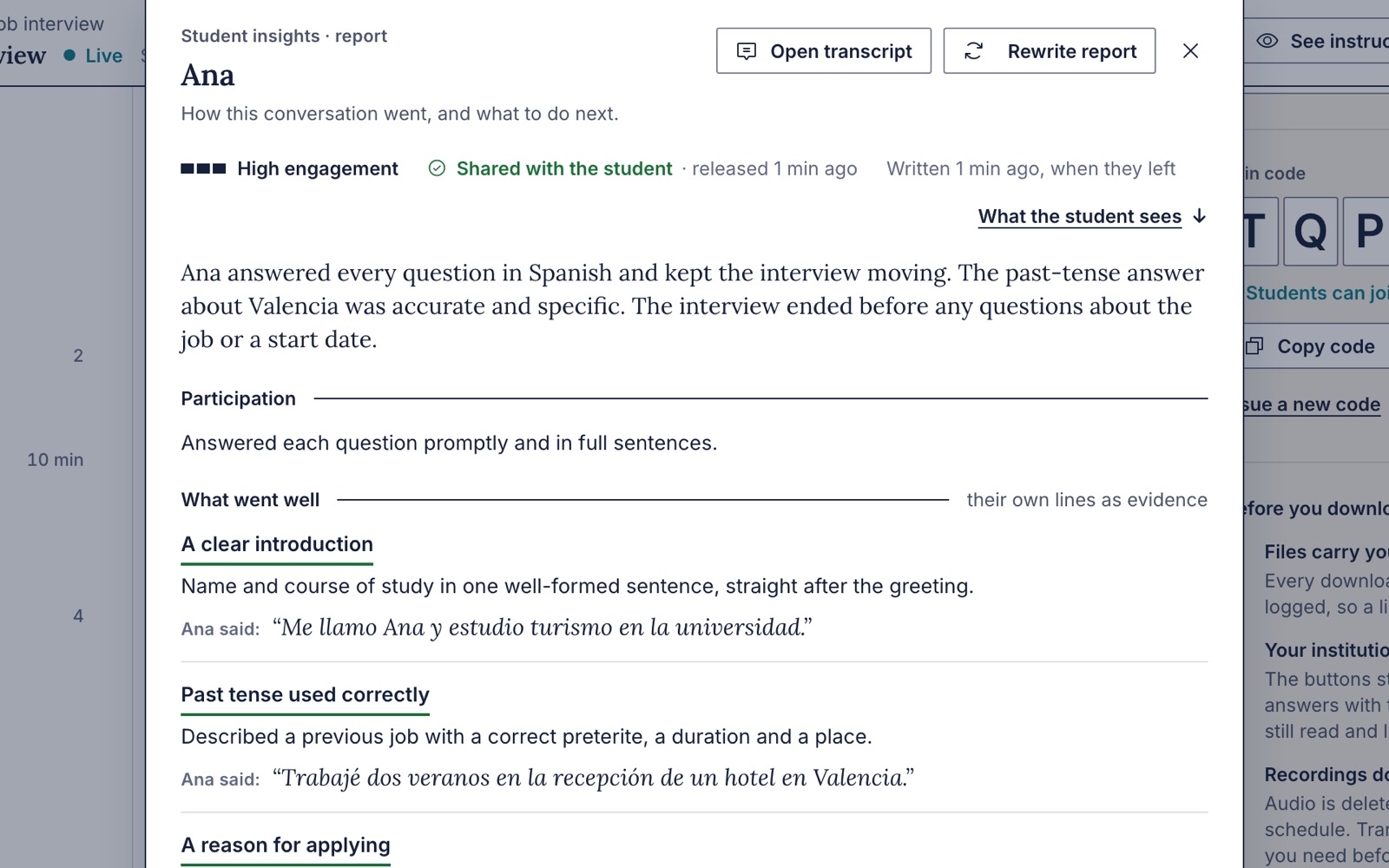
With the Student insights add-on, a model writes the instructor a report on each conversation: what went well, where the student struggled, and what to practice next. A student sees a copy only if their instructor shares it, and it says AI wrote it.
Where we draw the line
What we do, and what we won’t
What we build into every session, and the uses of AI we don’t allow.
What we do
Tell every student, before they start, that it’s an AI tutoring session, what is recorded, and who can review it.
Give instructors guardrails: topics to keep to, subjects that are off limits, and limits on reply length and session time.
By default, point students to a qualified person for medical, legal, financial, or mental-health advice.
Keep each conversation as a transcript, so a person can check what the AI said.
What we won’t do
Let AI decide about people. Grades, admissions, and hiring are a person’s call, never the AI’s.
Pass AI off as a person. No persona may claim to be human, or act as a student’s friend, partner, or therapist.
Identify anyone by voice. We don’t make voiceprints, and we never use a voice to identify anyone.
Sell personal information. We don’t sell what anyone shares with us, and TutorTalks carries no ads.
When AI gets it wrong
AI can get things wrong. We say so.
A language model can sound certain and still be wrong about a fact, a grammar rule, or a word in another language, and it can say something unsuitable. Guardrails make that less likely. They can’t rule it out. So the session screen says so, every conversation is kept for the instructor to check, and nothing the AI says is the last word on anything that matters.
If you’re practicing with TutorTalks
Check anything that matters with your instructor. They can read the conversation with you.
Treat it as practice. You don’t need to share real personal details in the conversation.
It isn’t a counselor or a crisis service. If something is troubling you, talk to someone you trust.
To report something the tutor said, tell your instructor or contact us.
The details are in our AI use policy
Every AI feature, what each one receives, the providers we use, and the rules for using them.